← 전체 가이드@aigo.thisworks
게임내가 그린 자동차로 레이싱 게임
종이에 그린 자동차 그림이 3D 레이싱 게임으로
먼저, 힉스필드 연결 (처음 한 번)
- Claude 앱(또는 claude.ai)을 열고 왼쪽 아래 이름 → 설정 → 커넥터로 들어가요.
- 커스텀 커넥터 추가를 누르고 이름은 Higgsfield, 주소에
https://mcp.higgsfield.ai/mcp를 붙여 넣어요. - 계속 → 힉스필드 계정으로 로그인 → Allow(허용)를 누르면 연결 끝.
- 새 채팅 입력창의 + → 커넥터에서 Higgsfield 가 켜져 있는지 확인해요.
만드는 순서
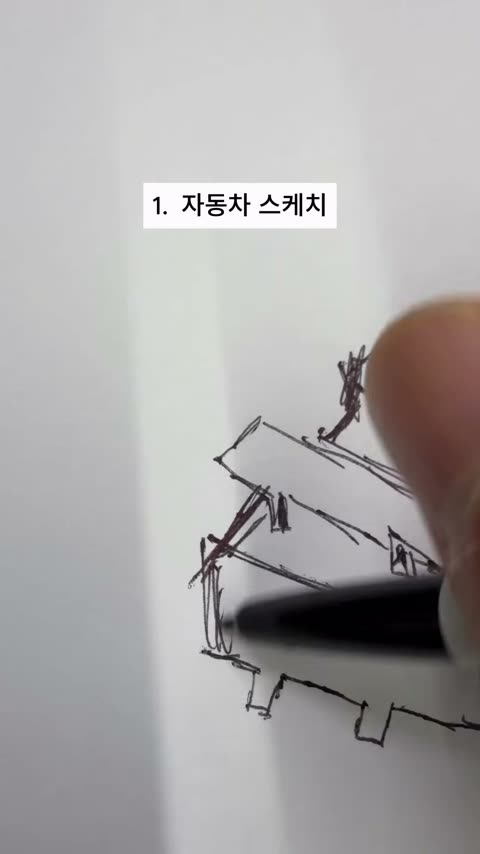
- 종이에 자동차를 그려요.
- 그림을 휴대폰으로 찍어요.
- Claude 에 사진을 올려요.
- 모델을 Fable 5.2 로 바꿔요.
- 커넥터에서 힉스필드를 검색해 연결해요.
- 사진과 아래 프롬프트를 입력하면 내가 그린 차가 게임이 돼요.
그대로 붙여 넣을 프롬프트
Turn the car in this drawing into a playable desktop racing game using Higgsfield. Keep its recognizable shape and rear spoiler. Use arrow-key controls and a third-person chase camera. Set the race on a road with traffic to dodge, police to escape, and a score that increases the longer I survive. Make every character, name, art and music original. Do not copy any existing game's characters, names, logos or music.
힉스필드 바로가기힉스필드 연결은 힉스필드 계정이 있어야 하고, 영상·이미지 생성에는 크레딧이 들어요. 결과물은 프롬프트가 같아도 매번 조금씩 달라요.
영상: instagram.com/reel/Dfrn0RVSP6q