← 전체 가이드@aigo.thisworks
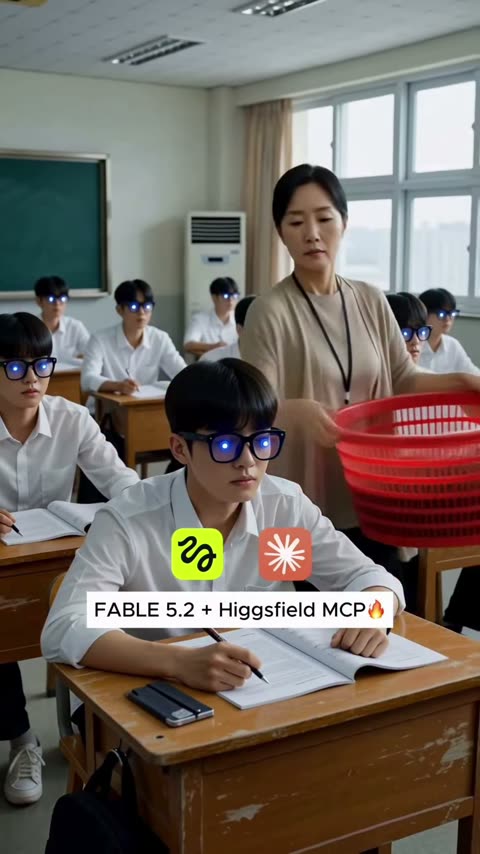
힉스필드수능장 AI 안경 압수 영상
힉스필드로 10분 만에 만든 풍자 영상
먼저, 힉스필드 연결 (처음 한 번)
- Claude 앱(또는 claude.ai)을 열고 왼쪽 아래 이름 → 설정 → 커넥터로 들어가요.
- 커스텀 커넥터 추가를 누르고 이름은 Higgsfield, 주소에
https://mcp.higgsfield.ai/mcp를 붙여 넣어요. - 계속 → 힉스필드 계정으로 로그인 → Allow(허용)를 누르면 연결 끝.
- 새 채팅 입력창의 + → 커넥터에서 Higgsfield 가 켜져 있는지 확인해요.
만드는 순서
- Claude 에 힉스필드를 연결하고 모델을 Fable 5.2 로 골라요.
- 아래 프롬프트를 그대로 넣어요.
- 장면이 마음에 들 때까지 '다시 만들어줘'로 고르면 끝.
그대로 붙여 넣을 프롬프트
Using Higgsfield, make a 10-second realistic cinematic vertical video (9:16): a Korean high-school exam room on the national college entrance exam day. Students in white shirts wear glowing blue smart glasses. A strict female proctor walks down the aisle and takes off every pair, dropping them into a red plastic basket until it overflows with glasses, then looks straight at the camera with arms crossed. Natural daylight, documentary feel.
힉스필드 바로가기힉스필드 연결은 힉스필드 계정이 있어야 하고, 영상·이미지 생성에는 크레딧이 들어요. 결과물은 프롬프트가 같아도 매번 조금씩 달라요.
영상: instagram.com/reel/DfzoXqBSm9t